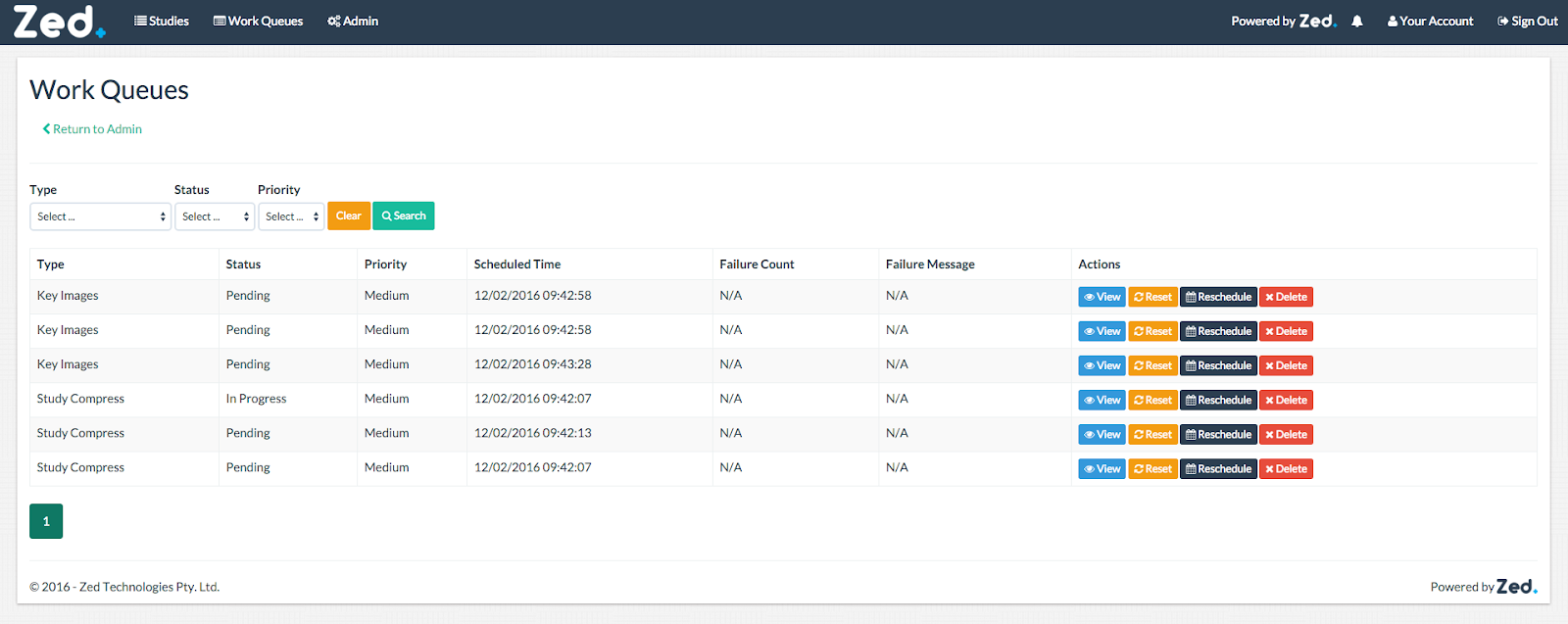
This is where you can manage work queues.
View Work Queue
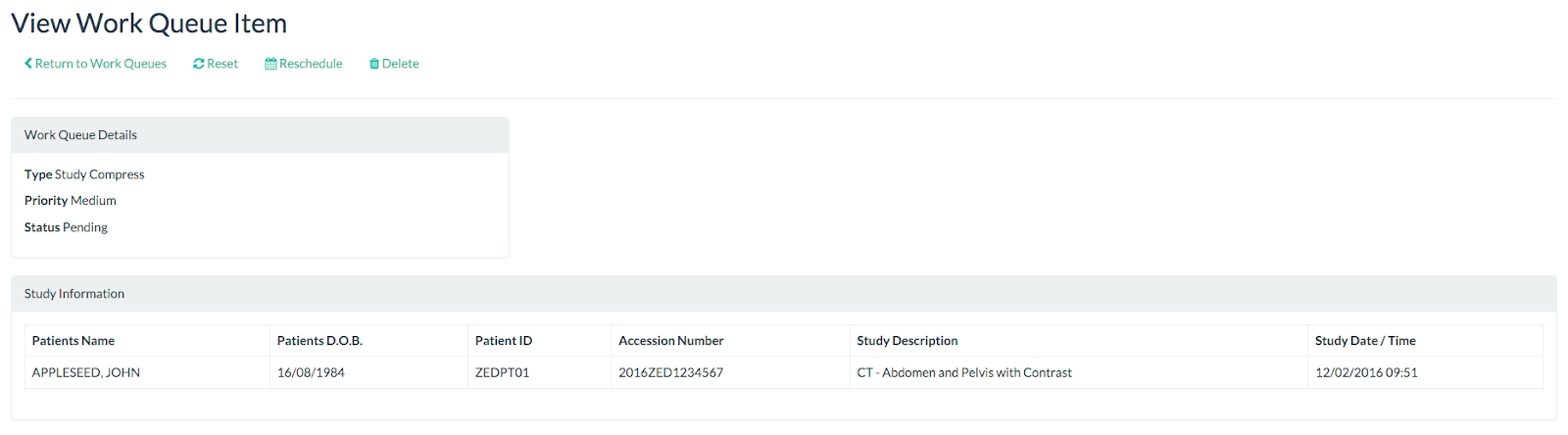
To view a work queue, click on the “View” button in the work queue page.
Reset Work Queue
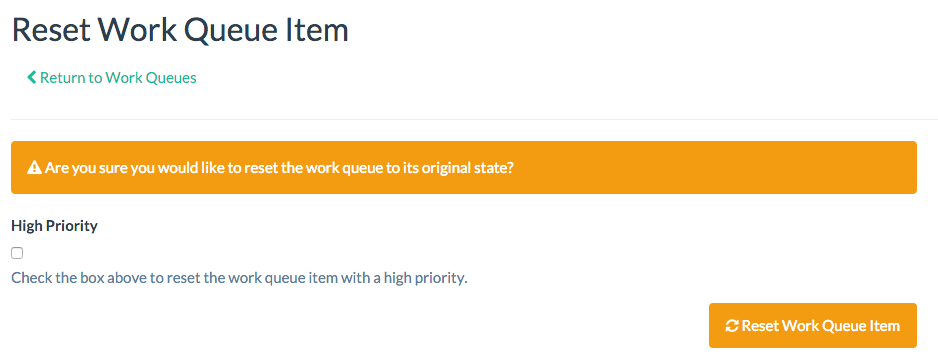
To reset a work queue, click on the “Reset” button in the work queue page.
You will be prompted to confirm the action and also have the option to set the work queue as high priority.
Reschedule Work Queue
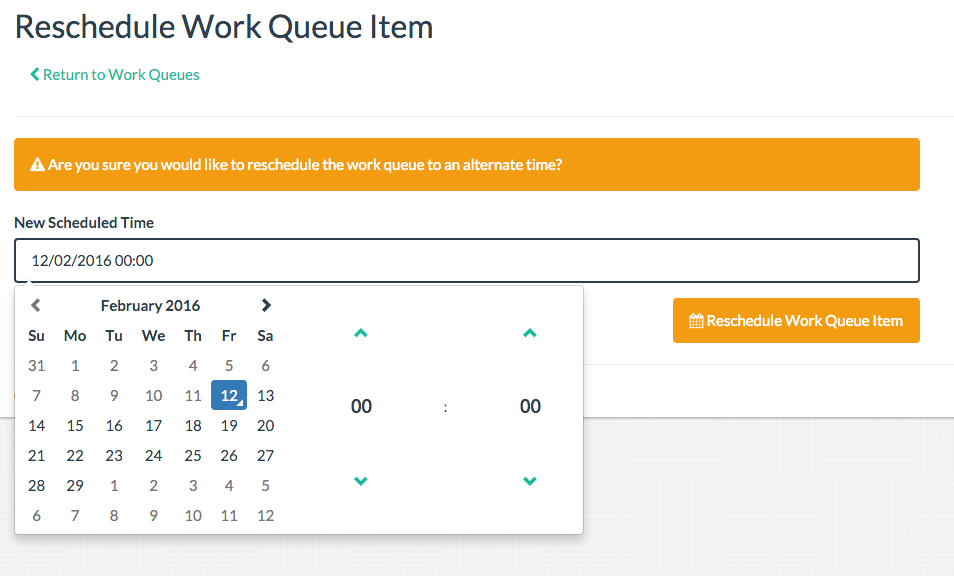
To reschedule a work queue, click on the “Reschedule” button in the work queue page.
You will be prompted to confirm the action and will require to enter a schedule time.
Delete Work Queue
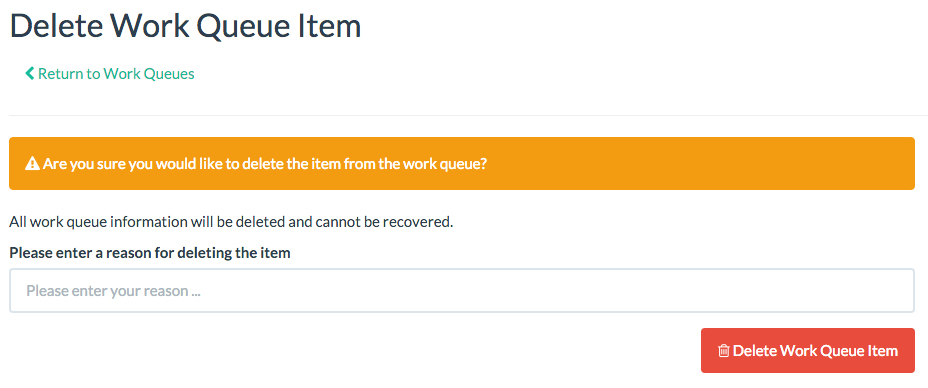
To delete a work queue, click on the “Delete” button in the work queue page.
You will be prompted to confirm the deletion and will require to enter a reason.