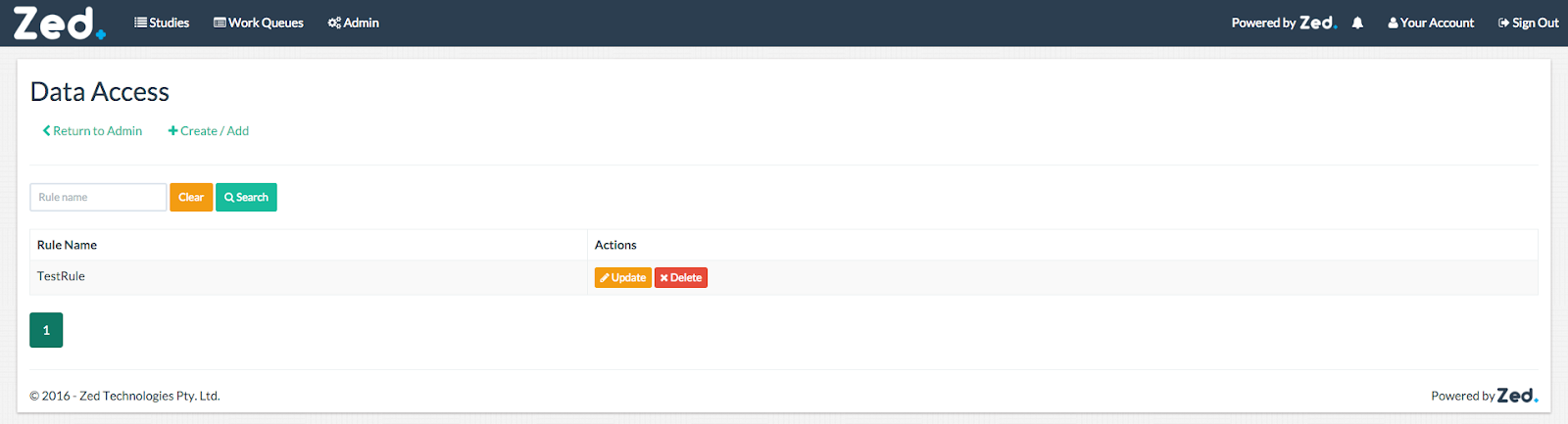
This is where all data access rules are created, updated, or deleted. An example of the data access rule page is below:
Create / Add Data Access Rule
To create/add a data access rule click on the “Create/Add” button.
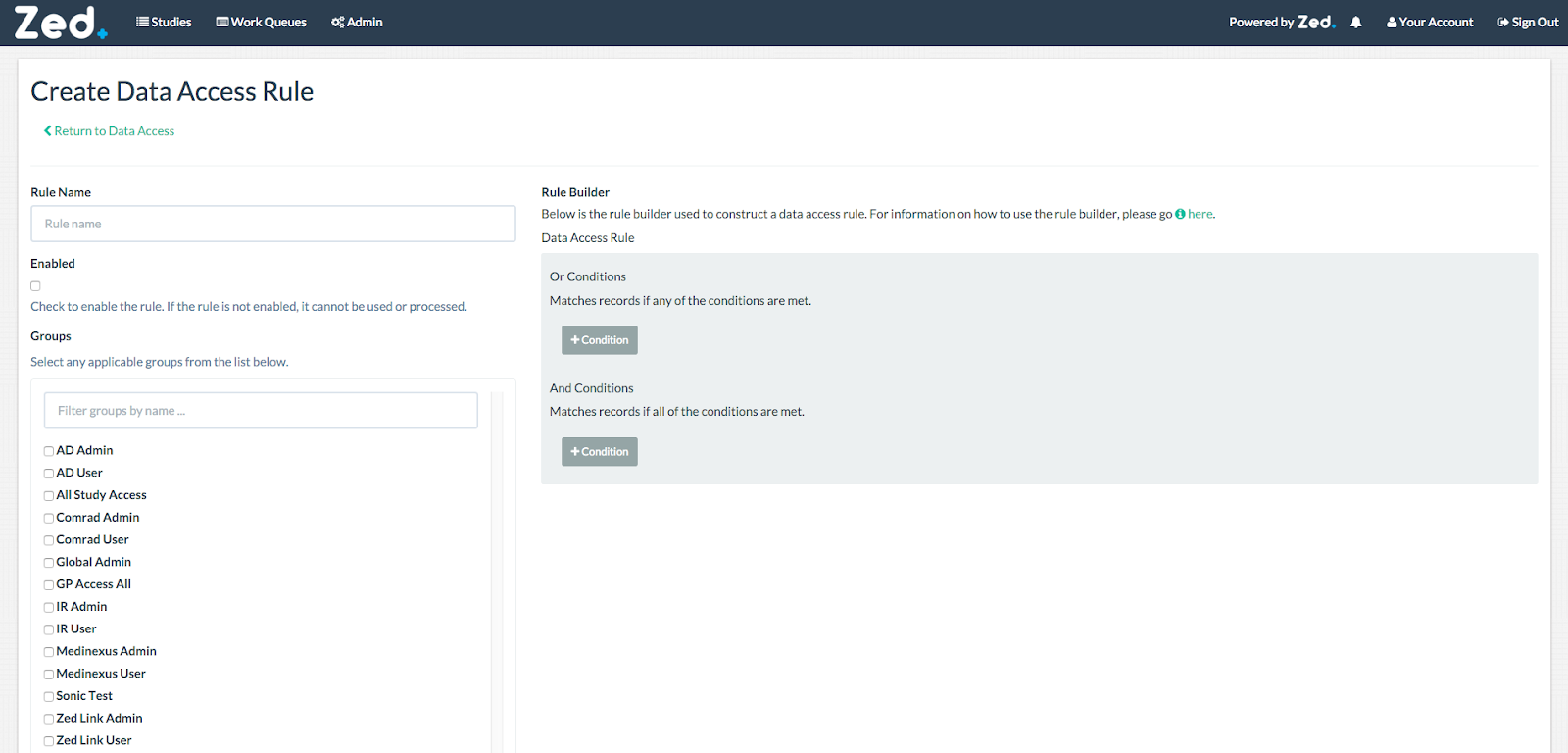
When you create a new data access rule, you will be presented with the following form:
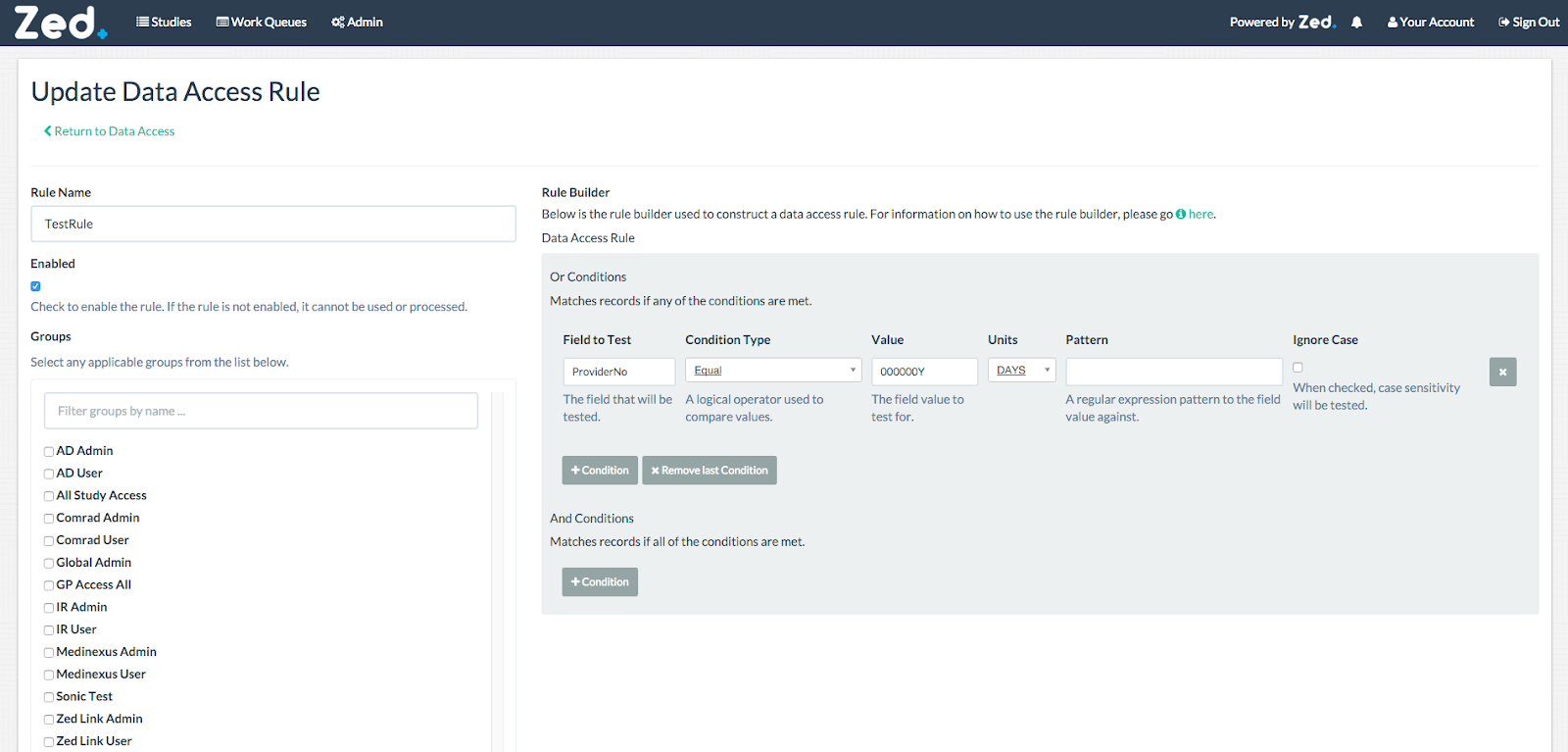
Update Data Access Rule
To update a data access rule, click on the “Update” button in the data access rule page.
Delete Data Access Rule
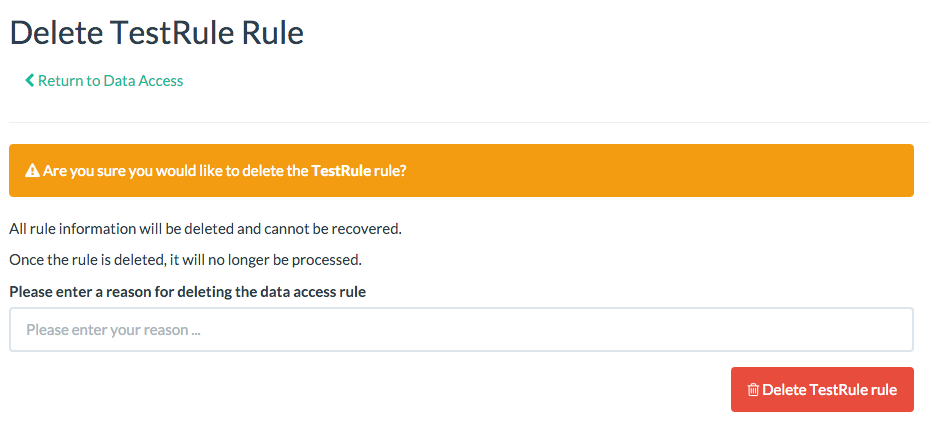
To delete a data access rule, click on the “Delete” button in the data access rule page.
You will be prompted to confirm the deletion and will require to enter a reason.